- Productivity
- iPhone & iPad
CAD Editor
3D CAD for Printing: STL, STEP
Parametric 3D parts and 2D DWG and DXF drawings on iPhone and iPad: sketch, extrude, fillet, and change any step later.
Screenshots
3 screens
About the app
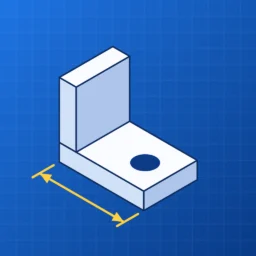
CAD Editor is parametric 3D CAD and 2D drafting for iPhone and iPad. Sketch on a plane or a face, add constraints and dimensions, then extrude, revolve, cut, fillet and drill holes. Every step stays in the feature tree, so you can change a size later and the whole part follows.
Open and edit DWG and DXF drawings with layers, lines, arcs, text, hatches and dimensions. Trim, extend, offset, move and copy with your finger or Apple Pencil, and print to scale with AirPrint. Export STEP, IGES, STL, 3MF and OBJ for 3D printing and other CAD programs.
There's no account and no ads. Your files stay on your iPhone or iPad, or in your own iCloud Drive. Viewing files is free; making and editing parts and drawings takes a plan: Yearly, with 3 days free, or Lifetime, paid once.
Dimensions, volumes and measurements are computed from the model as built. Check critical parts before you cut, print, order or build them.
3D modelling by Open CASCADE Technology and sketch solving by PlaneGCS, used under the GNU LGPL (version 2.1; Open CASCADE with its exception). They ship as separate libraries with their licences and a written offer of their source (in the app's licences page). Nothing in these terms limits the rights those licences give you.
Scripts and macros run on your device with the same access as the app. Run only scripts you trust.
- Category
- Productivity
- Made for
- iPhone, iPad
- Requires
- iOS 17 or later
- Languages
- English, German, French, Spanish, Portuguese, Italian, Dutch, Polish, Japanese, Korean, Chinese (Simplified), Russian, Turkish, Swedish, Danish, Norwegian, Chinese (Traditional), Arabic, Hebrew, Indonesian, Thai, Vietnamese, Hindi
- Status
- Coming soon
- Made by
- koykstudio
What it does
Features
-
Sketches with real constraints
Lines, arcs, circles and more, with constraints, dimensions and typed sizes. Drag a point and the sketch solves as you move.
-
A feature tree you can change
Extrude, cut, revolve, holes, fillets, chamfers, mirror and patterns, plus sweep, loft, shell, draft, split and combine. Change any step and the part rebuilds.
-
DWG and DXF drafting
Open and edit drawings with layers, text, hatches and dimensions. Trim, extend and offset, and print to scale with AirPrint or export a PDF.
-
Every format, in and out
Open and export STEP, IGES, STL, 3MF, OBJ, DWG and DXF, from Files or the share sheet, in full quality for 3D printing.
-
Variables and scripts
Variables and formulas drive your sizes, and JavaScript scripts and macros you record or type build parts for you.
-
Made for touch
Two fingers pan and zoom, one finger orbits, tap a face to sketch on it. A keyboard, trackpad and Apple Pencil work too.
Help and legal
Support, privacy and terms
-
Support
Answers to common questions, and how to reach us.
-
Privacy Policy
What stays on your device, what leaves it, and why.
-
Terms of Use
Your license, purchases and subscriptions.
- Apple, iPhone, iPad, Apple Pencil, iCloud Drive and AirPrint are trademarks of Apple Inc., registered in the U.S. and other countries and regions.
- AutoCAD is a trademark of Autodesk, Inc. DWG is used only as the name of a file format. CAD Editor is not affiliated with Autodesk, Dassault Systèmes, PTC or Trimble.
- Open CASCADE Technology is a trademark of Open CASCADE SAS. CAD Editor is not affiliated with Open CASCADE SAS.
More from the studio
All apps-
 Dash Studio
Dashboard Themes for CarPlay
-
 TV Remote
For Roku TVs on your Wi-Fi
-
 Acreline
Land Area, Field & Distance
-
 Animated Live Wallpapers
Animated desktop wallpapers